Agile Production Tools
Agile production tools for Pentad Games: a live kanban, art critiques, AI meeting notes and game builds, all embedded in self-hosted AFFiNE.
What I did
- Designed and built the studio's production toolkit as embeds inside a self-hosted AFFiNE workspace, about 12,800 lines of Node.js with no third-party packages, covered by 38 API and browser test suites
- Built a live kanban with story points per person, claim and release columns, dependencies, automations, swimlanes, templates, request forms, and calendar, table and phone layouts that adapt to any embed size
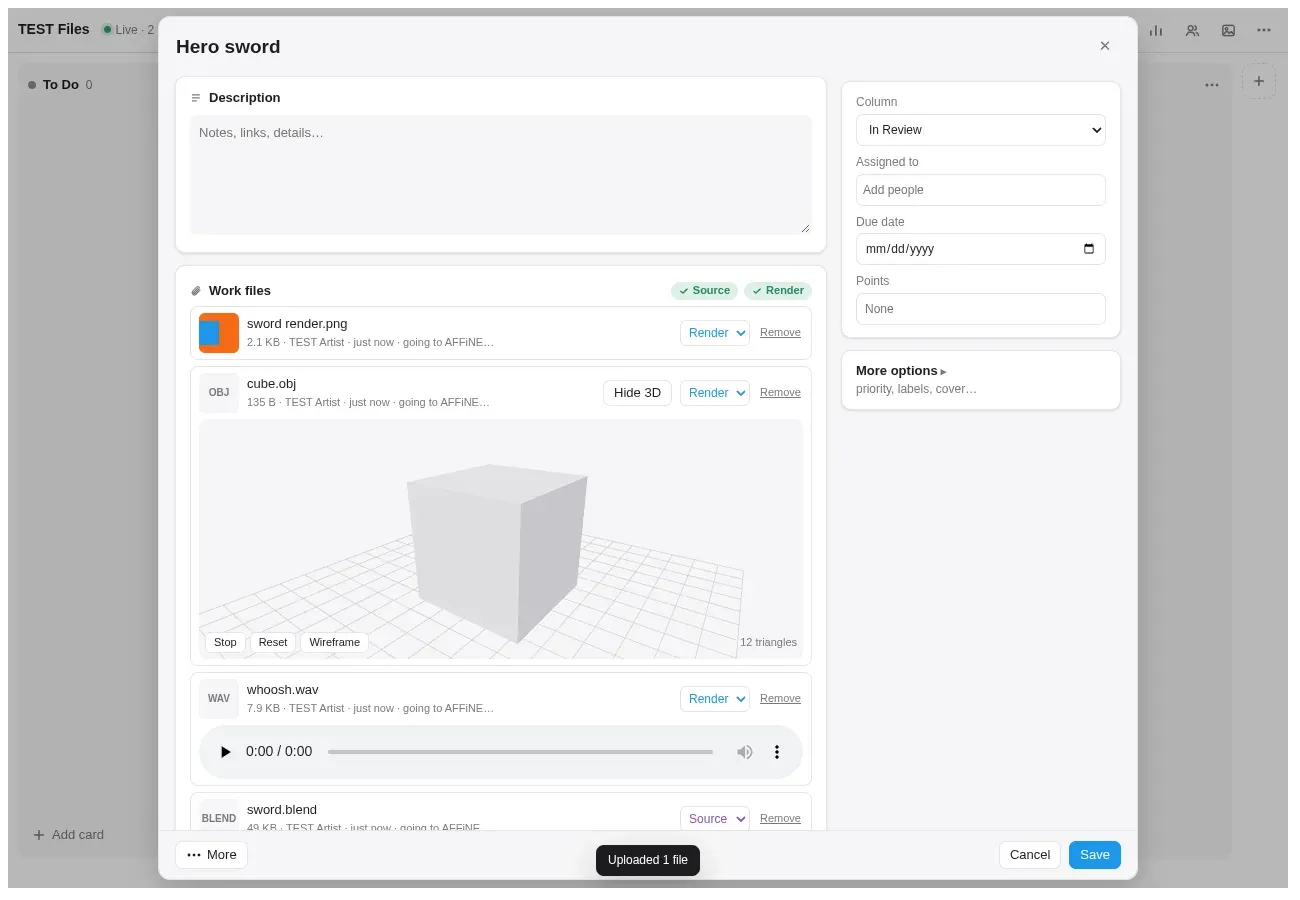
- Built an art hand-in pipeline for artists who don't use git, with chunked uploads up to 3 GB, source and render checks, a 3D model viewer, round-based critique pages, Discord posts and email feedback
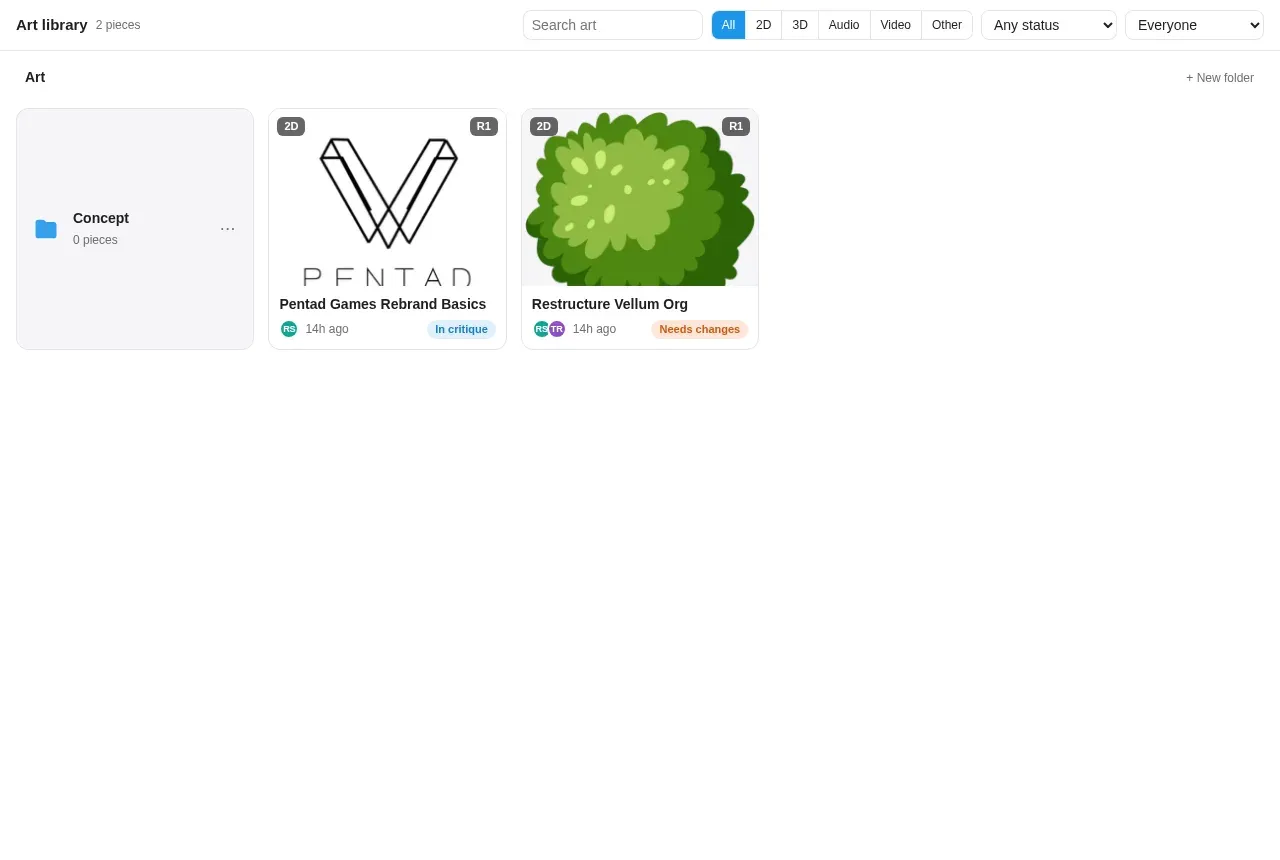
- Synced all art into AFFiNE pages and folders both ways, with a live art library that works like a shared drive
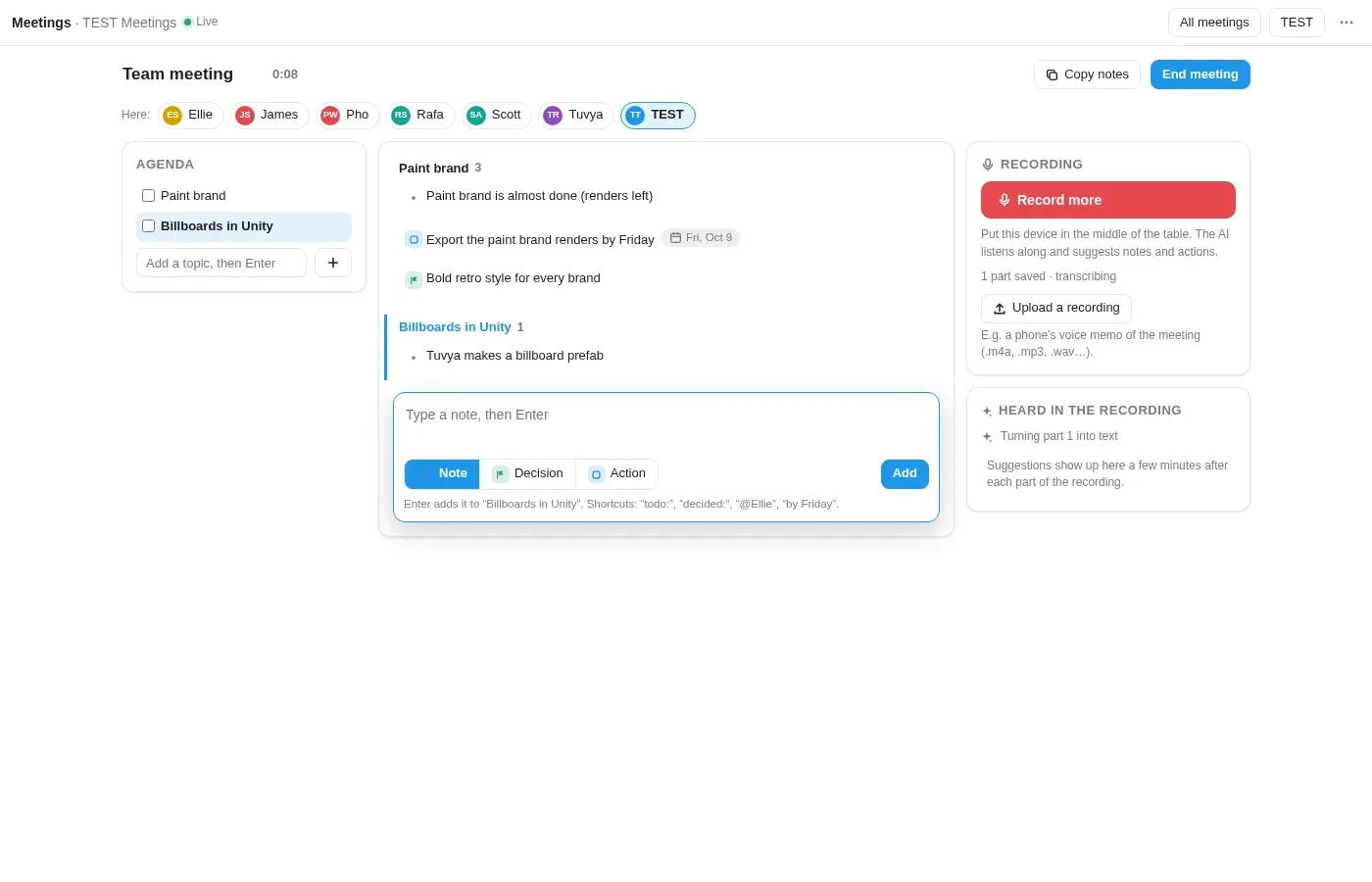
- Built a meetings tool running from agenda to cards, with local, private AI notes (whisper.cpp speech-to-text and a Qwen3 model in llama.cpp) that suggest actions and decisions live, then write the summary
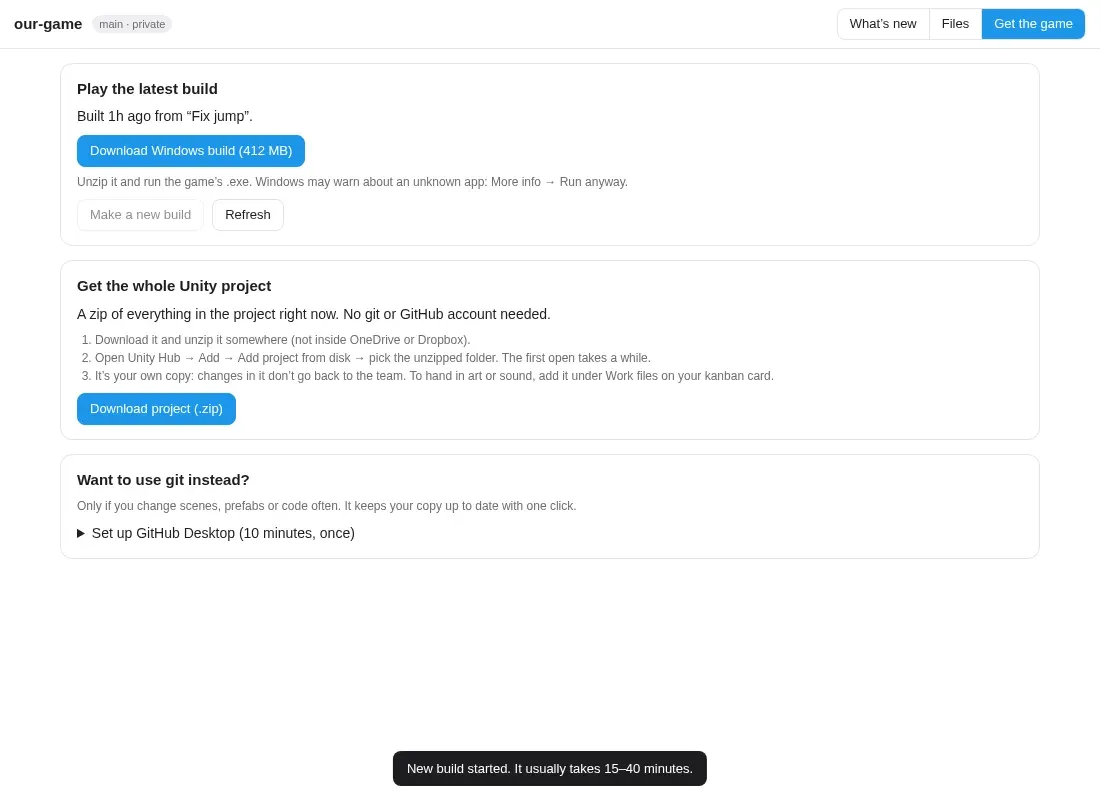
- Built a game repo page that explains commits in plain English and serves the Unity project and nightly GitHub Actions builds, so non-programmers can play the latest build without git
- Connected everything to AFFiNE through its GraphQL API, an MCP server for writing pages, CalDAV and iCal feeds for its Journal, and a patch for taller embeds
- Self-hosted the stack in Docker behind a Cloudflare Tunnel, with S3 object storage (Garage) and a TLS relay that keeps AFFiNE's file traffic on the machine
Problem
The team needed tasks to stop slipping, art feedback to stop getting lost in chat, meetings to turn into real work, and a way for non-programmers to play the latest build without git.
Goal
Give an Agile/Scrum game team one place to plan, hand in and review work, run meetings and get builds, inside the docs they already use.
I build and run the production tools Pentad Games uses for Agile/Scrum. I am the product owner, and I designed and built them myself. Everything lives inside our self-hosted AFFiNE workspace as embeds, so the team plans, reviews art, runs meetings and gets builds without leaving their docs.
Live kanban board
A board you drop into any AFFiNE page with /embed, live for everyone on the page.
- Story points credited to each person when a card reaches a Done column, with automatic reversal if it moves back, and a points report with optional pay per point and CSV export.
- Claim and release columns: moving a card into Claimed assigns you; moving it back to Available releases it and reverses its points.
- Dependencies (“waiting on”), card aging, due alerts, checklists, comments and a full activity log.
- Column automations: set or clear due dates, tick checklists, set priority or labels when a card arrives.
- Swimlanes by person, priority or custom rows, plus calendar and table views.
- Card templates, a request form for people outside the board, and AI-assisted import from a to-do list, meeting notes or an email.
- Adapts to any embed: columns fit the embed’s width, small embeds switch to a squares overview or a tiny widget, and phones get one swipeable column per screen.
- No logins: people pick their name once from the AFFiNE team, and the board remembers them.
Art hand-in and critiques
Built for 2D, 3D and sound artists who don’t use git.
- Drop files on a card. Uploads go up in pieces, so files up to 3 GB work behind Cloudflare’s 100 MB limit, and each file is labelled source or render automatically.
- Pictures get thumbnails, sounds play in the card, and 3D models open in a 3D viewer built on Three.js (FBX, GLTF and OBJ).
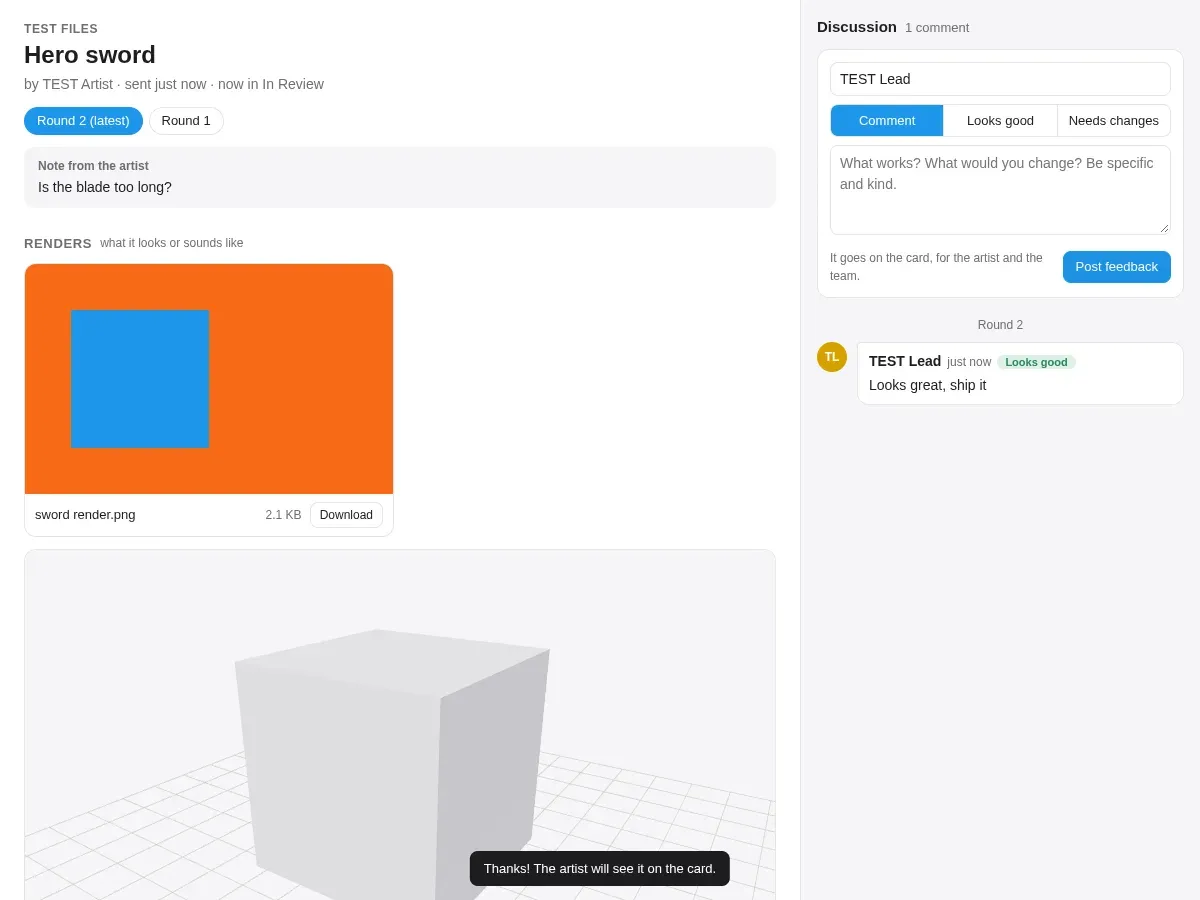
- Send for critique moves the card to review and creates a critique page (no login) with the renders, the model, downloads and a discussion where reviewers mark “Looks good” or “Needs changes”. Changes start round 2 on the same link.
- A card can’t reach Done without its source file, so nobody skips handing it in.
- Critiques post to Discord with the render as the preview, and the people on the card get one batched email about new feedback.
Art library, synced with AFFiNE
Every card’s art gets a page in AFFiNE, with its files, rounds and feedback, and properties for status, artist, round and type. The art library shows the same folders as AFFiNE’s sidebar, like a shared drive: make, rename or move a folder in either place and the other follows within seconds. Filtered library views can be embedded anywhere, such as a “Final art” page or one artist’s portfolio.
Meetings, from agenda to cards
- Anyone adds topics, and board cards can be brought to the next meeting.
- During the meeting: attendance, the agenda, and notes typed as notes, decisions or actions, with shortcuts for who and when (“@Name”, “by Friday”).
- Recording saves in 5-minute parts, so a dead battery loses seconds, not the meeting.
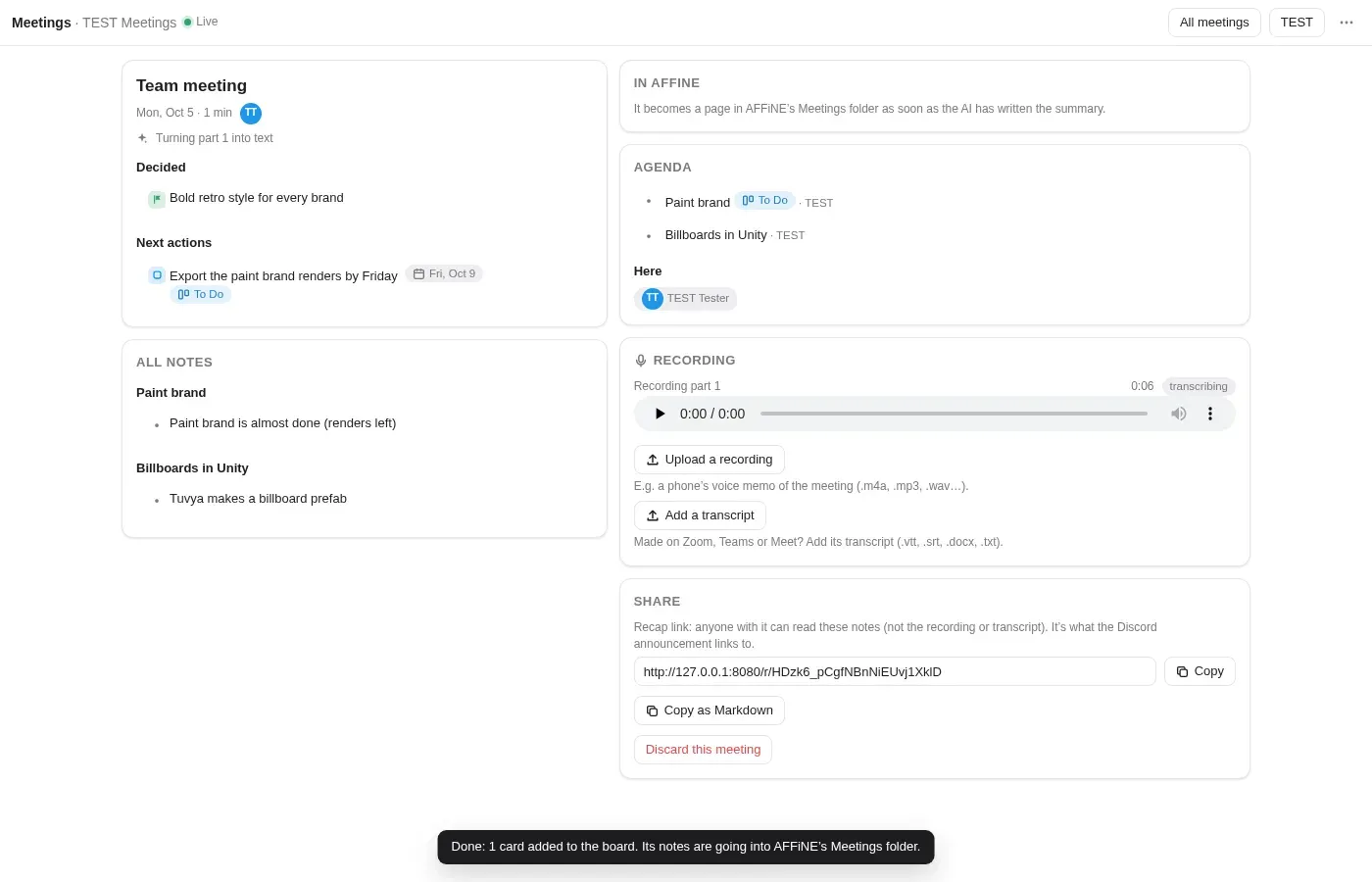
- Local, private AI notes: each part is transcribed by whisper.cpp and read by a small Qwen3 model in llama.cpp, all on the studio’s own machine. Suggested actions and decisions appear live; afterwards it writes the summary and key points.
- Wrap up turns confirmed actions into cards, assigned to their owners.
- Past meetings can be added from Zoom, Teams or Google Meet transcripts.
- Finished meetings become pages in AFFiNE’s Meetings folder and are announced on Discord with a read-only recap page.
Game repo page
An embeddable page for the team’s GitHub repo: recent commits in plain English (“who changed what, where”, tagged art, audio, code or scenes), a file browser with previews and the 3D viewer, the whole Unity project as a zip, and the latest build to download. Builds come from a GitHub Actions workflow I set up with GameCI: nightly when someone pushed that day, or on demand with Make a new build.
Built into AFFiNE
- Due dates appear on AFFiNE Journal pages through a CalDAV feed I wrote, and in any calendar app through iCal.
- Cards show the titles and summaries of linked AFFiNE pages, found through AFFiNE’s GraphQL API.
- Pages are written through an MCP server, queued one edit at a time so two writes can’t collide.
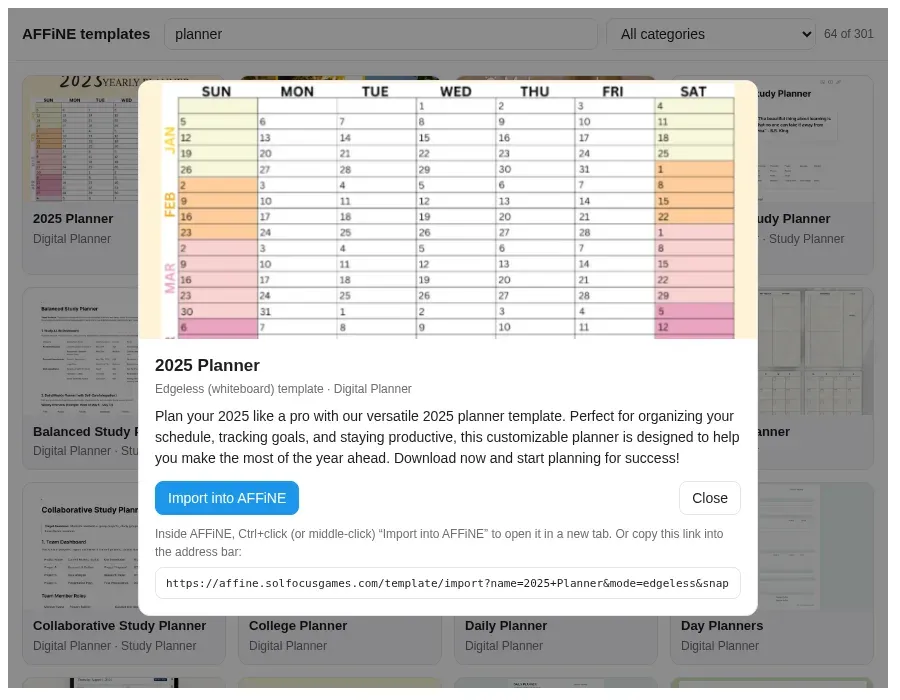
- A library of about 300 AFFiNE templates that imports straight into our self-hosted workspace, which affine.pro’s own gallery can’t do.
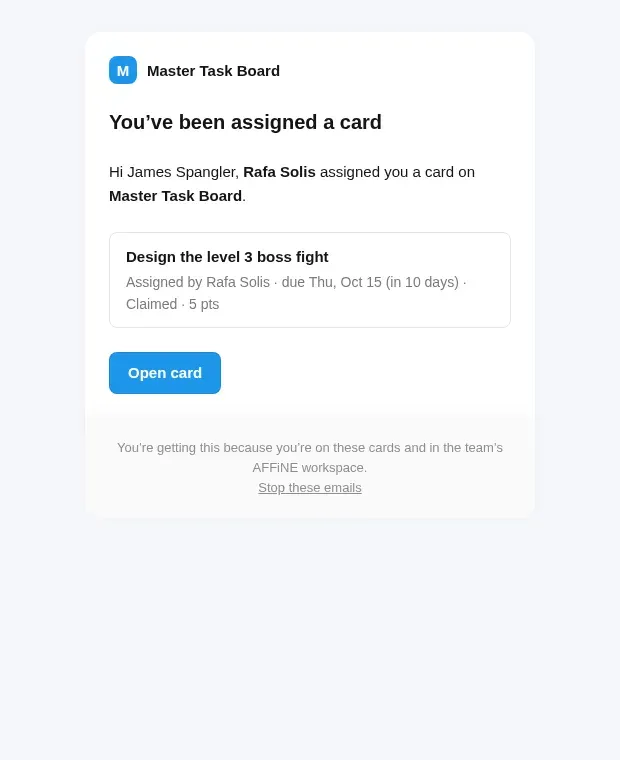
- Reminder emails (on assignment, halfway to due, on the day and once overdue) styled like AFFiNE’s own, branded with the workspace’s name and logo.
- A small patch makes AFFiNE’s embeds 800px tall instead of 400px.
Infrastructure
Self-hosted in Docker: AFFiNE with Postgres and Redis, the toolkit server, the speech-to-text and language model containers, an MCP writer, Garage S3 object storage, automatic Let’s Encrypt certificates and a Cloudflare Tunnel. I wrote a TLS relay so AFFiNE’s own file traffic stays on the machine instead of leaving through Cloudflare and coming back at home upload speed.
The toolkit server is about 12,800 lines of Node.js with no third-party packages, and every feature is covered by API and real-browser (Puppeteer) tests.
Before AFFiNE: Discord + Taiga bot
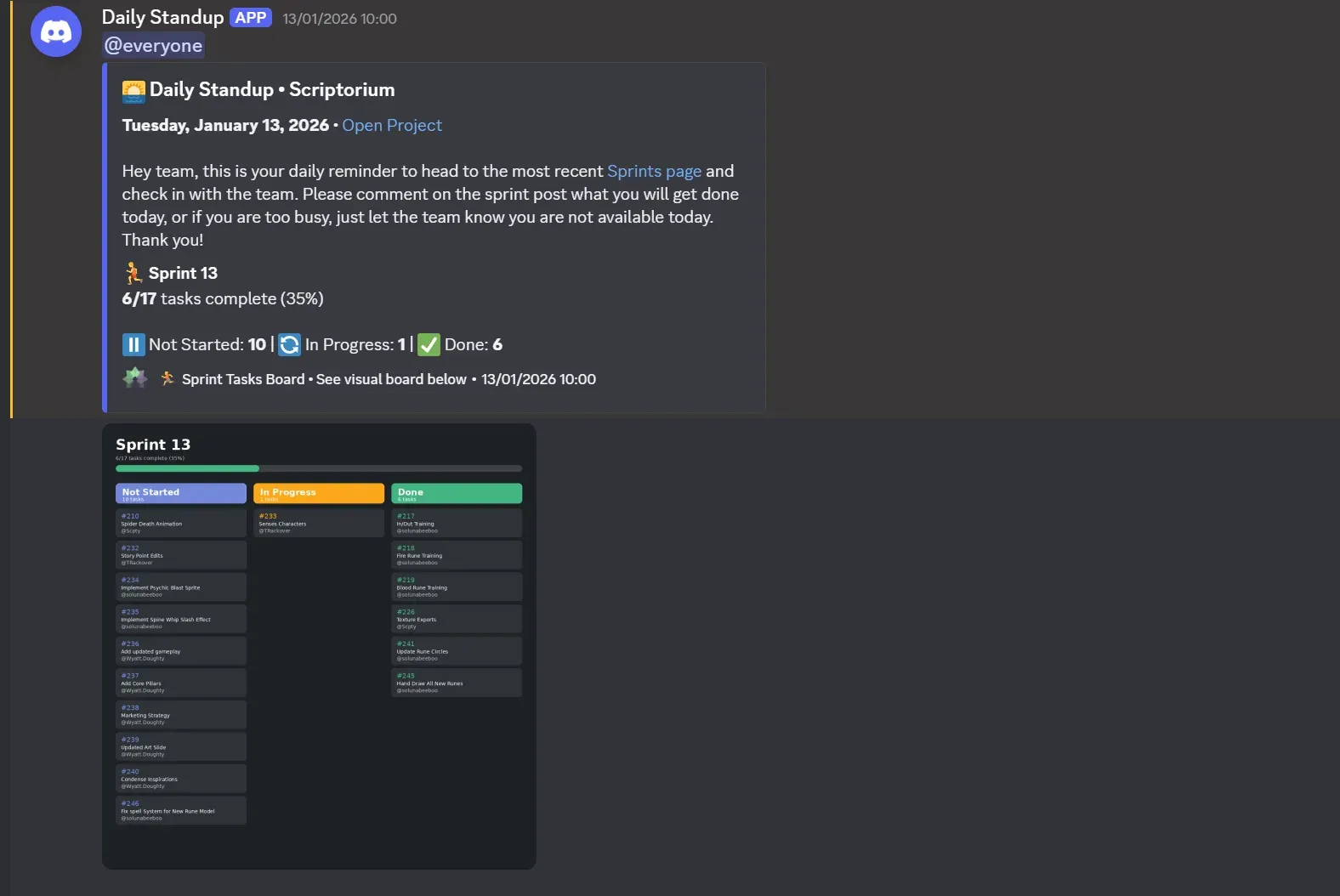
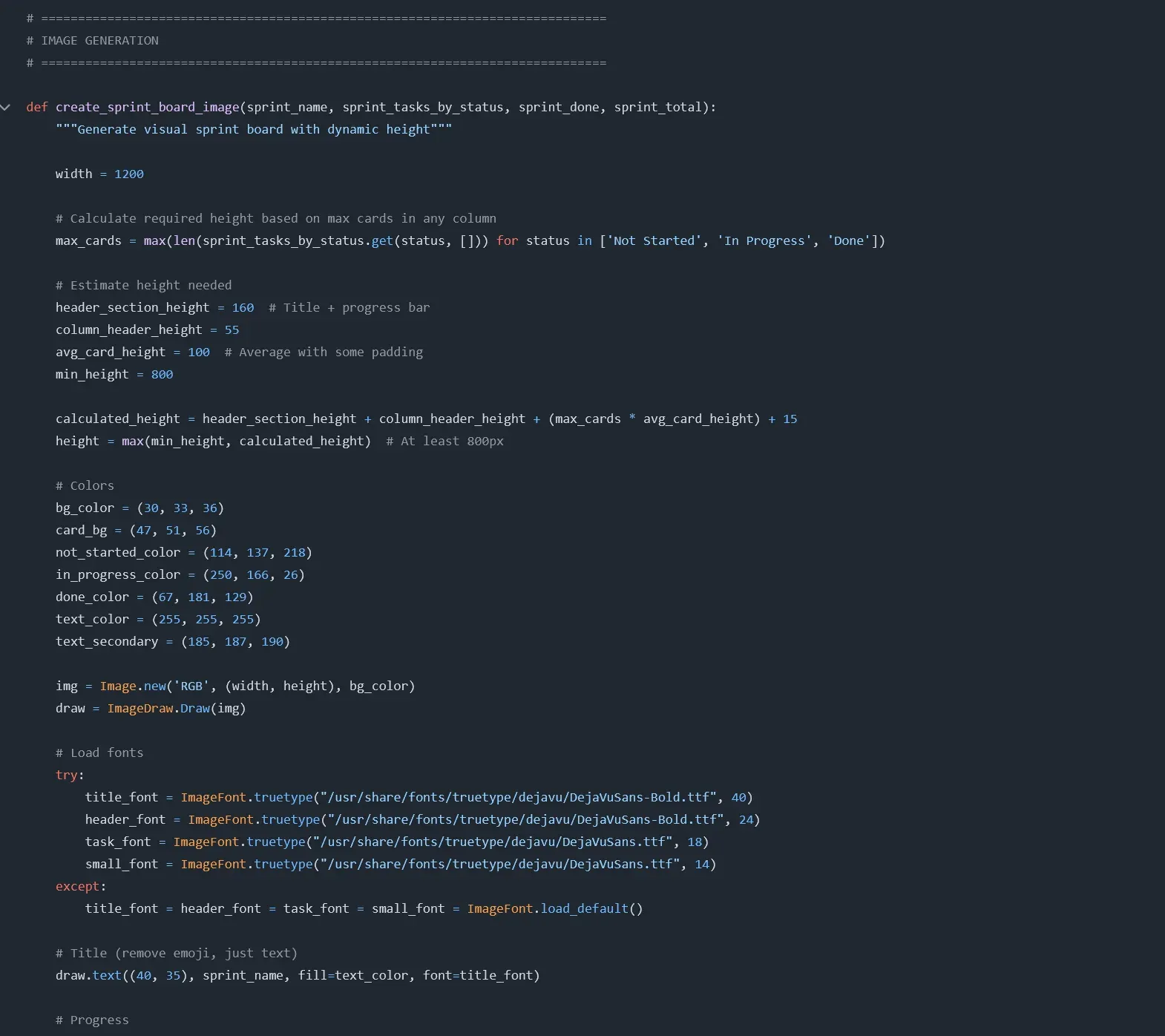
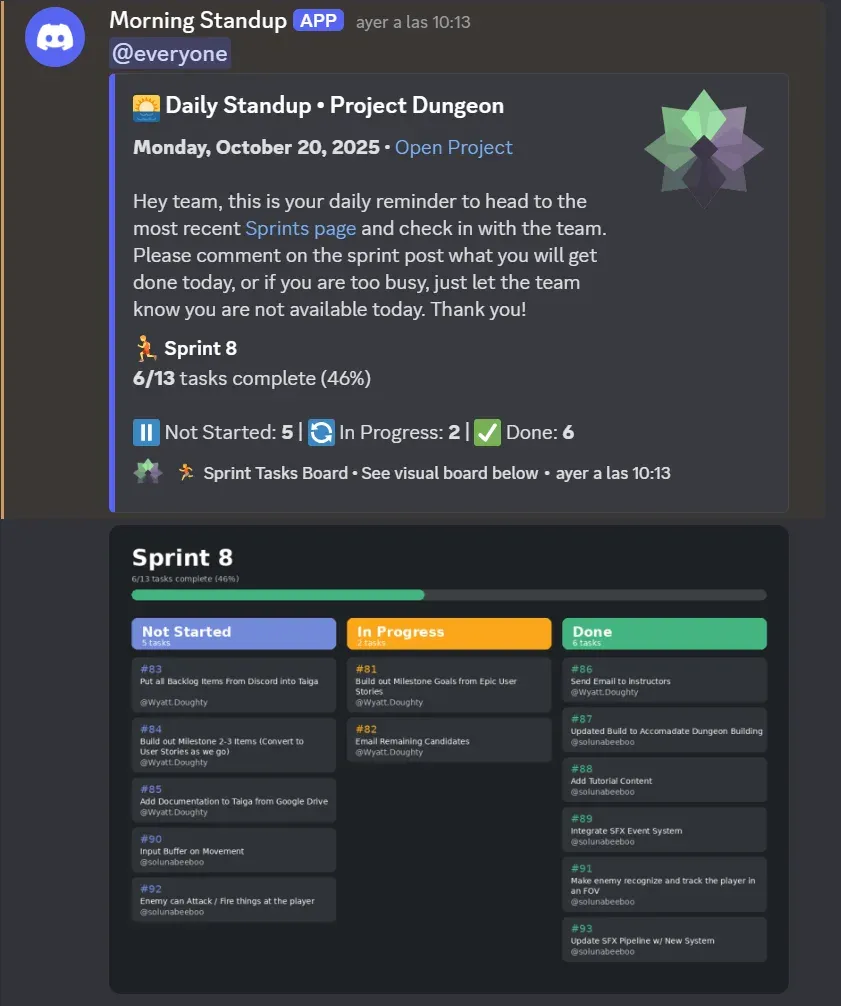
Before the AFFiNE toolkit, I made a Python tool that read our Taiga board and posted automated daily standups and weekly sprint breakdowns to Discord, with its own generated board image, run by GitHub Actions.
Outcome and lessons
The tools grew out of watching where the team’s work actually got lost: tasks nobody owned, feedback buried in chat, meetings whose actions never became work. Building them taught me to design production tools around the people using them, especially artists and non-programmers, rather than around the process.